You set a phone timer once, dismiss it, and never set it again. Notifications are too easy to swipe away. The intention is there — the follow-through isn't. Standu doesn't ask you to build a habit. It just blocks your screen for a few seconds and asks you to take a breath.
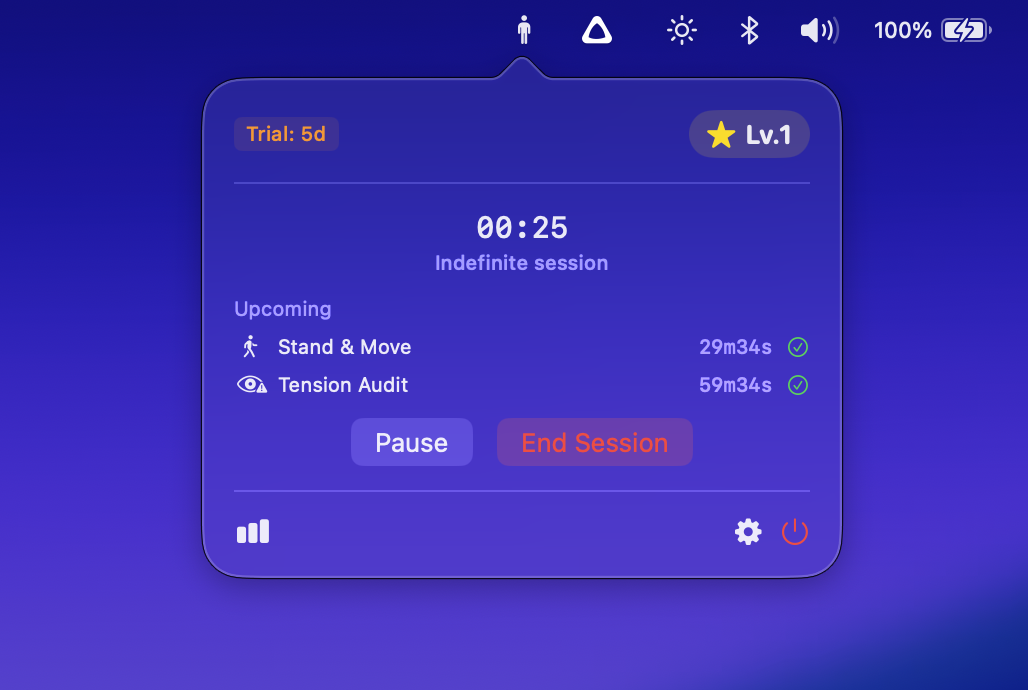
Starts automatically when your Mac starts. No setup, no daily interaction, no dock icon. It just runs.
A calm, full-screen reminder appears on all your displays. The buttons are locked with a cooldown timer — you can't reflexively dismiss it.
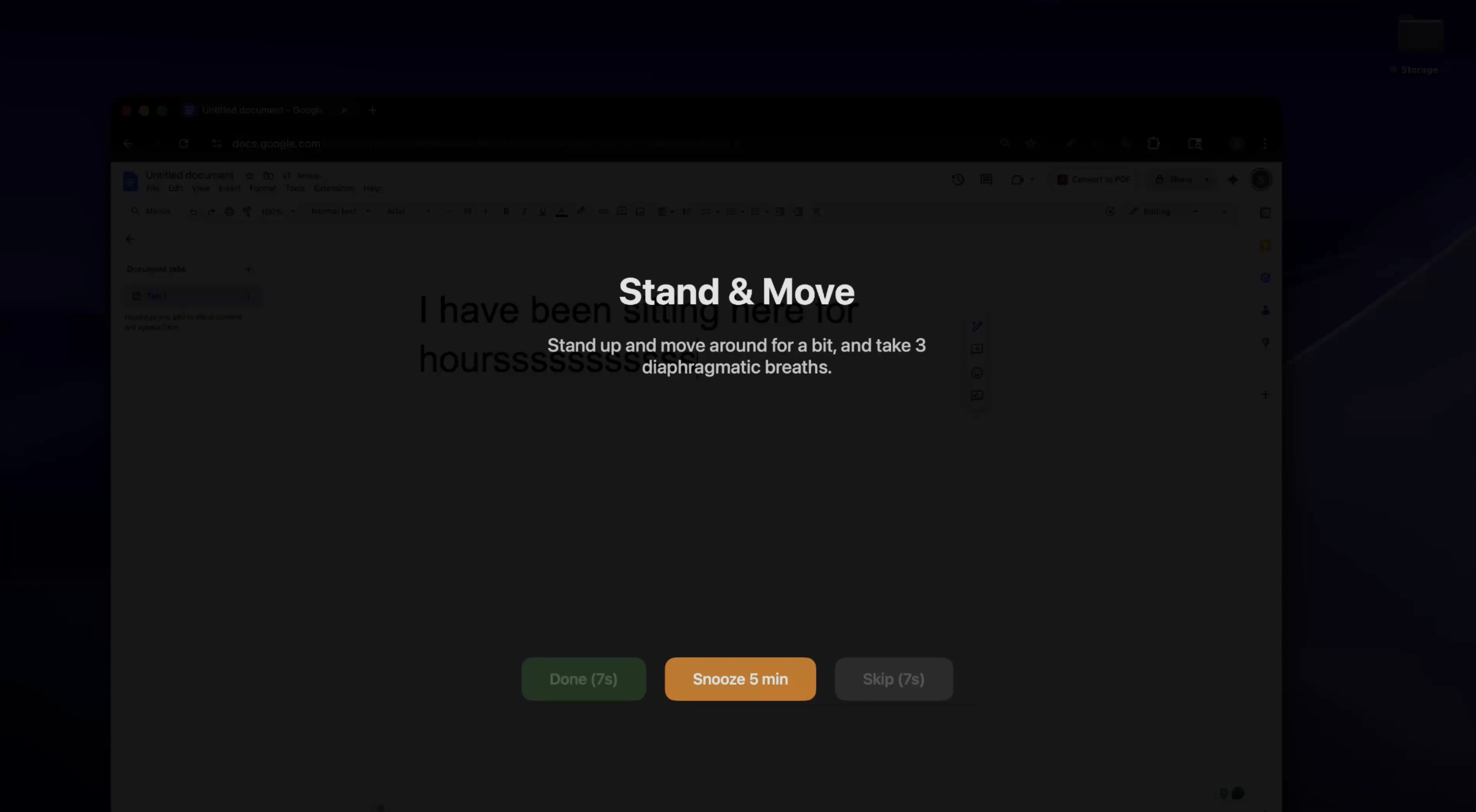
Stand, breathe, stretch — then dismiss and continue your work. That's it. No tracking, no streaks, no guilt.
Set it once, forget about it forever. Launches silently when your Mac starts.
Calm overlays on all your displays. A notification is easy to ignore — this isn't.
Buttons lock so you actually pause. No reflexive dismissing — you have to stop for a moment.
Built-in breathing exercises with visual timers. Inhale, hold, exhale — right on screen.
Pauses when you step away, resumes when you're back. It knows when you're actually at your desk.
Set your own reminders, intervals, and cooldowns. Make it work the way you work.
Free is fully usable. Premium unlocks everything.
Yes. Standu uses a full-screen overlay — not a notification — that appears on all your displays. The dismiss button is locked behind a cooldown timer, so you can't reflexively swipe it away. You have to actually stop for a moment. It's intentionally gentle — no alarm sounds, no flashing — but you can't ignore it.
On the free tier, you get up to 3 reminders with configurable intervals and cooldown times. Premium unlocks unlimited reminders, alarm-based scheduling (e.g., every day at 2 PM), guided breathing timers, and fully custom reminders with your own text, intervals, and timer types.
No. Zero data collection. No analytics, no telemetry, no cloud sync, no account required. Everything stays on your Mac. Purchases are handled entirely through Apple's StoreKit. There are no ads, no third-party SDKs, and no network calls.
Yes. When a reminder triggers, the full-screen overlay appears on your primary display with the active prompt, and secondary displays get a dark overlay so you're not tempted to keep working on another screen.
The free version includes up to 3 enabled reminders, interval-based scheduling, full-screen alerts on all displays, configurable cooldown timers, idle detection, auto-start on login, and a 7-day premium trial. It's fully usable — most people won't need to upgrade.
Absolutely. Pomodoro apps manage your work cycles. Standu manages your break quality. They solve different problems and work well together. Standu won't interfere with your Pomodoro timer — it just makes sure you actually use those breaks to move and breathe.